Odessa Ring to continuous heart rate tracking: 2026 workflow

Instead of taking repeated manual pulse readings, set up the Odessa Smart Ring with QRing to review its heart rate estimates alongside your everyday wellness data. This 2026 continuous heart rate tracking ring guide separates supported heart rate tracking from a feature you must verify: uninterrupted recording at a specified interval.
- Odessaring suits women seeking subscription-free wellness insights, not medical heart monitoring.
- A continuous heart rate tracking ring needs a verified recording interval; Odessa’s supplied specifications do not establish one.
- QRing is free for iPhone and Android; confirm recording controls in your installed app.
- Check fit, connection and timestamps before interpreting heart rate trends.
Interactive · Metric explorer
Tap to explore what Odessa tracks

Sleep: how long and how well you slept, worked out from movement and heart rate overnight.
Heart rate: readings through the day and night from the optical sensor on the inside of the band.
HRV (heart rate variability): the variation between heartbeats, a signal many people watch for recovery trends.
SpO2: blood-oxygen estimates for general wellness, not medical use.
Stress: estimated from body signals such as HRV, so you can see calmer and busier stretches.
Skin temperature: changes against your own baseline over time.
Steps: steps, distance and calories, with sport modes for walking, running, cycling, swimming and more.
Cycle: log your cycle alongside the rest of your data to spot your own patterns.
What it doesn't do: it doesn't measure blood pressure, it doesn't detect snoring, and it doesn't diagnose, treat or prevent any condition. It's a wellness tracker, not a medical device.
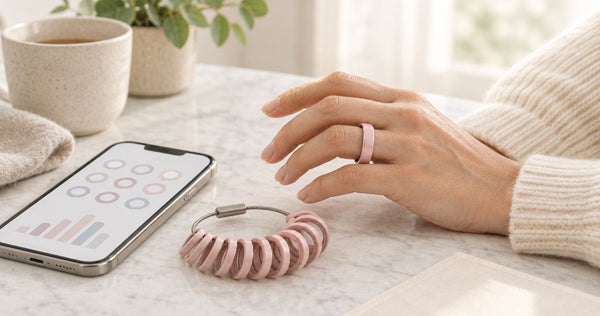
Real product photo. Sensor positions are approximate. Battery: 5–7 days per charge. Free app, no subscription.
Why this matters
Heart rate tracking does not automatically mean continuous heart rate recording. A ring can display heart rate estimates without promising an uninterrupted stream, a fixed sampling interval or a live workout display. Those are separate capabilities.
Odessaring’s product specifications, checked October 25, 2026, list heart rate, sleep, stress, blood oxygen estimates, skin temperature and activity. They do not establish a heart rate recording interval or promise beat-by-beat measurement. Do not buy on that assumption.
Odessaring is best for women who want subscription-free everyday wellness insights rather than medical heart monitoring. The benefit is a screen-free ring and a free phone app. The limitation is equally important: wellness readings are estimates, not intended to diagnose, treat or monitor a medical condition.
This workflow helps you connect the ring, check the recording controls actually present in QRing and confirm what information reaches your phone. It does not turn an unspecified feature into a verified one.
Before you start
- Have the ring, charging cable and your phone ready. QRing supports iPhone and Android. Confirm the current app listing supports your particular phone and operating-system version before depending on it.
- Check fit before checking charts. The ring comes in US sizes 6–14. Choose a secure, comfortable fit that maintains skin contact without pinching; remove it if you experience discomfort or irritation.
- Verify the recording requirement first. For your 2026 setup, check whether QRing offers automatic heart rate recording and explains its interval. If uninterrupted tracking is essential, an unexplained automatic setting is not enough evidence.
The ring and charging cable are included. An additional charging accessory is not required to begin this setup, and no monthly subscription is required for the free QRing app.
Keep the supplied instructions nearby. Use those instructions for charging orientation and ring placement rather than guessing from another ring’s setup video.
Configure your heart rate workflow
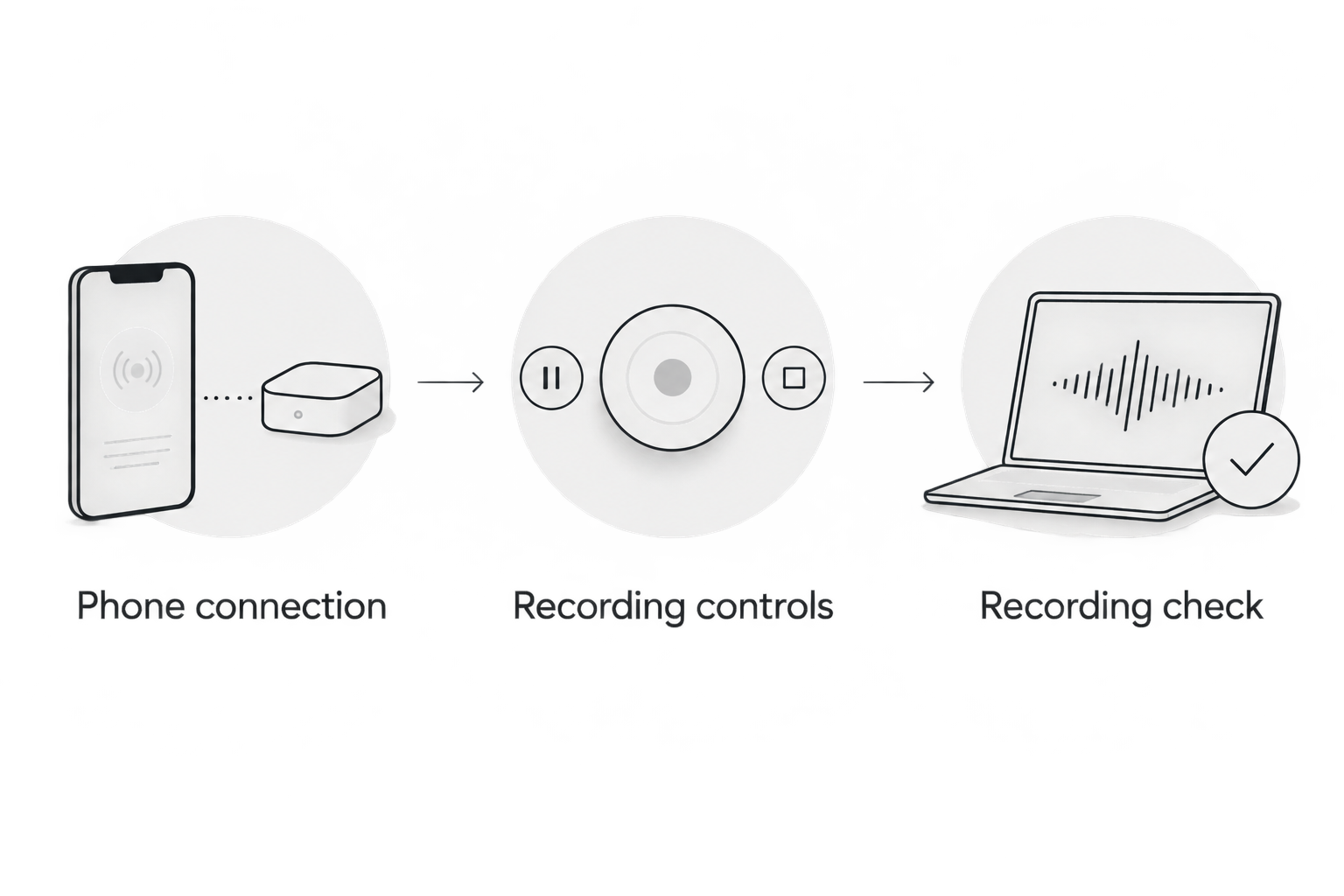
Phone connection
- Charge the ring using the supplied charging cable and the instructions included with it. Begin setup with enough charge to complete pairing and a short recording check.
- Install QRing through the app source identified in the supplied instructions. Check the app name carefully rather than choosing an unrelated ring app from search results.
- Open your phone’s Settings and confirm Bluetooth is enabled. Keep the ring close to the phone during setup.
- Open QRing and follow its current device-connection instructions. Approve the Bluetooth or nearby-device access requested for connecting the ring; review unrelated permissions separately.
- Confirm that QRing identifies the ring as connected before looking for heart rate data.
Expected result: QRing recognizes your ring. A Bluetooth entry on the phone alone does not establish that QRing has connected successfully or received readings.
For a fuller connection walkthrough, use the Odessa Ring to QRing pairing workflow. Follow the labels in your installed app; do not substitute button names from a different app version.
Recording controls
- Find the heart rate information and device settings available in your installed QRing app. Review any explanation attached to automatic recording.
- If an automatic heart rate recording control is present, read its description before enabling it. Check whether it specifies an interval, a recording period or conditions that pause measurement.
- Select the recording behavior that matches your goal, using only the choices actually offered. Do not assume the shortest interval is continuous or beat-by-beat tracking.
- If QRing offers only an individual measurement, treat that result as a spot reading. Do not relabel it as all-day recording.
- Write down what you selected and what remains unspecified. Keep the app version and the date with that note for future reference.
Expected result: You can explain whether your setup produces individual measurements or automatic readings, and whether a recording interval is documented.
If the interval remains unspecified, stop short of calling the setup continuous. Ask support for the current model’s recording behavior and whether that behavior changes during movement, sleep or disconnection.
Recording check
- Wear the ring according to its supplied placement instructions. Confirm that it stays comfortable and does not freely rotate during ordinary use.
- Sit comfortably and keep your hand still while checking an initial heart rate estimate. Avoid squeezing the ring or repeatedly repositioning it during the measurement.
- Return to your usual routine with the selected recording settings unchanged. Later, reopen QRing and allow it to reconnect if necessary.
- Examine the dates and times attached to the available readings. Look for new records rather than assuming a visible number is current.
- Compare the resulting record with the behavior described in the app. Note gaps without assuming that a missing reading means your heart rate changed.
Expected result: You have evidence of what your particular setup recorded, not just evidence that the app can display a heart rate number.
Save this initial check with your 2026 setup notes. A short successful check confirms that the workflow works under those conditions; it does not establish clinical accuracy or uninterrupted recording in every situation.
Review routine
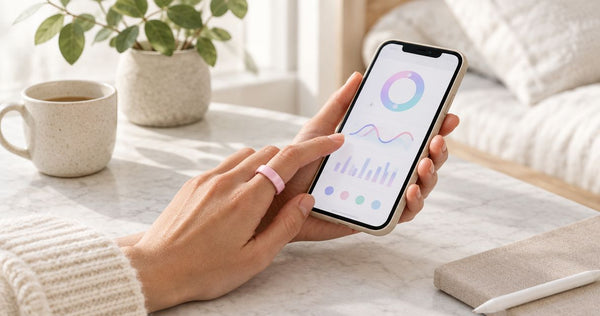
- Choose a repeatable time to review your data, such as after getting dressed in the morning. Consistency makes it easier to notice missing records.
- Check the date and time range before interpreting the heart rate information. Separate overnight readings from readings taken during daytime activity.
- Add brief context in a private note if useful: interrupted sleep, an unusual schedule or a recording gap. Describe what happened without assigning a medical cause.
- Charge around periods when you do not need the ring’s readings. The client-confirmed battery claim is 5–7 days per charge; plan around your actual usage rather than waiting for the battery to run out.
- After an app update or phone change, repeat the connection and recording checks before trusting the routine again.
Expected result: You know when you review the information, which period it covers and whether the recording is complete enough for your everyday purpose.
A charging gap is not a health event. Mark it as missing data rather than filling it with an assumption.
 Screen-free · No subscriptionOdessa Smart RingShop the ring →
Second workflow: review overnight heart rate with sleep
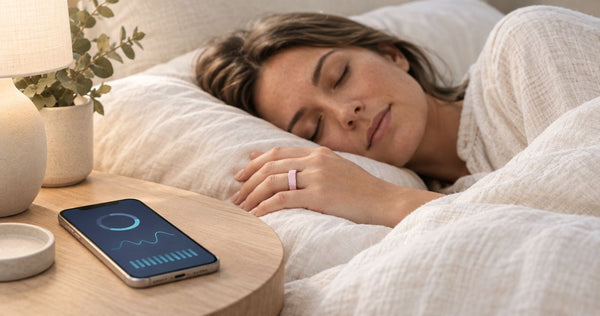
If your main question is about sleep, build an overnight review routine instead of repeatedly checking daytime readings. The Odessa Smart Ring supports sleep and heart rate tracking, but that does not establish a specific overnight sampling interval or a particular combined chart.
Wear the ring comfortably overnight, then open QRing in the morning. Check that the sleep record belongs to the correct night and review any heart rate information available for that same period. Keep the two records separate if the app does not explicitly combine them.
| Workflow | Best for | Main benefit | Main limitation |
|---|---|---|---|
| Daytime review | Checking the heart rate records captured during your routine | Lets you inspect recording times and gaps | Does not establish uninterrupted recording or workout accuracy |
| Overnight review | Considering available heart rate estimates alongside sleep | Keeps attention on a repeatable part of your day | Neither sleep estimates nor heart rate estimates establish a diagnosis |
Choose the review routine that answers your question, not the one that produces the most checking. Neither workflow should become a reason to ignore symptoms or repeatedly chase a reassuring number.
For an overnight routine, comfort matters as much as app setup. Check that the ring is not tight before bed and remains comfortable when you wake. Do not force overnight wear if your finger feels swollen or irritated.
Troubleshooting
QRing does not connect
Confirm Bluetooth is enabled, bring the ring close to the phone and check its charge. Review the connection permissions requested by QRing, then follow the app’s reconnection instructions.
Avoid immediately deleting the app or resetting the ring. First establish whether your existing records are preserved and follow the supplied recovery instructions.
There is no automatic recording control
Check the current app instructions and device settings. If automatic heart rate recording is not described, do not assume a hidden control exists or that a firmware update will add it.
Ask support whether your model supports automatic recording and request the documented interval. A heart rate feature in a product description does not answer that narrower question.
The app shows an old reading
Inspect the timestamp, then confirm QRing is connected to the correct ring. Reopen the relevant record after the app has had an opportunity to communicate with the device.
An old number is not a current measurement. Treat the record as incomplete until a new timestamp confirms otherwise.
Readings are missing or look inconsistent
Check fit, charge and whether the ring was removed during the missing period. For an individual measurement, sit still and follow the supplied instructions before repeating it.
Motion and poor sensor contact can affect optical wearable readings generally. That explains why setup checks matter; it does not identify the cause of a particular result or establish Odessa-specific accuracy.
Phone restrictions interrupt the routine
Review QRing’s Bluetooth or nearby-device permissions after phone updates or permission changes. If background operation is restricted, consult the instructions for your phone before changing battery settings.
Do not disable every privacy control to solve a connection problem. Change only the permissions relevant to the documented connection workflow, then check whether the change helped.
Customize your workflow
Keep the first version simple: one ring, one phone and one repeatable review routine. Add complexity only after you can confirm that the basic records arrive as expected.
For your 2026 routine, record these details together:
- Your phone model, operating-system version and QRing version.
- The recording setting you selected, if one is available.
- Any documented measurement interval and its stated limitations.
- Your usual review and charging times.
- Any unexplained recording gaps you want support to address.
Keep ownership terms separate from tracking claims. Odessaring has confirmed 60-day returns with worn rings accepted, free size exchanges within 60 days and a 12-month manufacturing-defect warranty. Change-of-mind return postage is the customer’s responsibility.
Some site pages display conflicting return wording. Confirm the applicable terms in writing before relying on them; the confirmed return promise does not establish a measurement interval or accuracy standard.
No subscription removes a recurring app fee. It does not remove the need to check phone compatibility, app access, charging habits and comfort before deciding whether the ring suits your routine.
Frequently asked questions
Is Odessa a continuous heart rate tracking ring?
Odessa Smart Ring supports heart rate tracking, but the supplied specifications do not establish uninterrupted recording or a fixed measurement interval. Verify the recording behavior in the current QRing app before treating it as continuous tracking.
How do I turn on automatic heart rate tracking in QRing?
Use an automatic recording control only if your installed QRing version provides and explains one. Review the available interval and conditions; the supplied information does not establish an exact button label or menu path.
Does QRing work with iPhone and Android?
QRing is available for iPhone and Android. Check the current app listing for your particular phone and operating-system version, then confirm pairing before depending on the workflow.
Do I need a monthly subscription for heart rate insights?
Odessaring uses the free QRing app without a monthly subscription. Subscription-free access does not establish a particular recording frequency or medical accuracy.
Can I use the ring to monitor a heart condition?
No. The ring’s wellness readings are estimates and are not intended to diagnose, treat or monitor a medical condition. Follow your clinician’s advice about an appropriate medical device.
Why does QRing show gaps in my heart rate readings?
Check charge, fit, removal periods, connection and the recording settings before interpreting a gap. A missing reading does not by itself explain what your heart was doing during that period.
How often will I need to charge the ring?
The client-confirmed battery claim is 5–7 days per charge. Use your actual battery experience to plan charging and treat time off your finger as a recording gap.
One last thing
The most useful setup check is the timestamp, not the size of the number on screen. Before treating any heart rate estimate as current, confirm when it was recorded and what recording mode produced it.
Keep that rule in your 2026 routine. A clear boundary between recorded data, missing data and unknown capability is more useful than calling every heart rate feature continuous.