Subscription-free smart rings for iPhone: app checks that matter

iPhone users’ subscription-free smart-ring tracking is app-based sleep and wellness tracking with the aim of understanding everyday patterns without recurring membership fees. For women choosing a screen-free ring, the important checks are whether the app works with your iPhone, which readings remain accessible without payment, and whether the ring feels comfortable overnight.
- For a smart ring without subscription iPhone shortlist, Odessaring suits women seeking screen-free sleep insights through the free QRing app.
- Check the exact app, current iPhone requirements, permissions and membership terms before choosing a ring.
- Odessa Smart Ring provides estimated wellness readings, not medical measurements or a diagnosis.
- Check overnight fit and plan charging around the confirmed battery life of 5–7 days per charge.
The Odessa Smart Ring uses the free QRing app for iPhone and Android, with no subscription. This guide explains the app checks that matter before buying and the practical checks to make after pairing.
Interactive · Metric explorer
Tap to explore what Odessa tracks

Sleep: how long and how well you slept, worked out from movement and heart rate overnight.
Heart rate: readings through the day and night from the optical sensor on the inside of the band.
HRV (heart rate variability): the variation between heartbeats, a signal many people watch for recovery trends.
SpO2: blood-oxygen estimates for general wellness, not medical use.
Stress: estimated from body signals such as HRV, so you can see calmer and busier stretches.
Skin temperature: changes against your own baseline over time.
Steps: steps, distance and calories, with sport modes for walking, running, cycling, swimming and more.
Cycle: log your cycle alongside the rest of your data to spot your own patterns.
What it doesn't do: it doesn't measure blood pressure, it doesn't detect snoring, and it doesn't diagnose, treat or prevent any condition. It's a wellness tracker, not a medical device.
Real product photo. Sensor positions are approximate. Battery: 5–7 days per charge. Free app, no subscription.
Why subscription-free tracking matters for iPhone users
A subscription-free ring removes a recurring membership payment, but it does not remove the app from your routine. The ring has zero screens; you review its sleep and wellness estimates on your phone.
Odessaring is best for women seeking subscription-free, screen-free sleep and everyday wellness insights. The limitation is equally important: its readings are estimates, not measurements intended to diagnose, treat or monitor a medical condition.
For your 2026 buying decision, separate three questions: Does the app support your phone? Does the purchase include the features you want without a membership? Can you wear the ring comfortably enough to collect useful overnight records?
Those questions matter more than a long feature list. Sleep, heart rate, stress, blood oxygen estimates, skin temperature and activity are included in the published product specifications checked October 25, 2026. That list describes what the product reports; it does not establish clinical accuracy.
How to choose a subscription-free ring for your iPhone
1. Define what you want to learn
Start manually. Use a paper notebook or a note on your iPhone to record bedtime, wake time and how rested you feel. This establishes the question you want a ring to help answer without requiring another device.
For example, you might want to compare your recorded sleep with your work schedule or keep a more consistent record of overnight patterns. A ring adds automated estimates; it does not turn those observations into proof that a particular habit caused a particular result.
Best for understanding your own routine: start with a simple sleep diary. Its advantage is context in your own words. Its limitation is that you must enter the information yourself, and it cannot supply sensor readings.
Before browsing devices, write down:
- Your main question about sleep or everyday activity.
- The readings you actually intend to review.
- Whether you want a screen-free device at night.
- Whether recurring membership fees are a deal-breaker.
- What would make the ring uncomfortable or impractical.
2. Check the exact iPhone app
Search the App Store yourself before ordering. Confirm the app name and read its current compatibility requirements, rather than assuming that an iPhone logo means every iPhone and operating-system version is supported.
For Odessa Smart Ring, the app is QRing. The product is described as compatible with iPhone and Android, but your purchase check should still include the app’s current requirements on your particular phone.
Apple’s official App Store listing format provides a Compatibility section, while Apple’s iPhone User Guide explains how to check and update iOS. Use those official sources for your 2026 compatibility check; app requirements are not fixed forever.
Do not confuse downloading an app with confirming every feature. Pairing, viewing sleep records and sharing information with another app are separate checks.
- Find QRing in the App Store.
- Read the current Compatibility section.
- Compare the requirements with your iPhone and installed iOS version.
- Confirm that the app listing matches the product’s setup instructions.
- Read the app’s privacy information before creating an account.
3. Separate included features from optional purchases
Read the product description and app information side by side. Write down what is included, what requires a separate purchase and whether any feature you want depends on a membership.
Odessaring’s smart-ring offer includes the ring, a charging cable and access to the free QRing app without a subscription. An additional charging case is an accessory, not a prerequisite for using the included cable.
Total ownership cost means more than the checkout amount. Consider optional accessories, replacement needs and the terms that apply if you return the ring. Do not count a temporary gift or bundle promotion as a permanent product feature.
For 2026, use the current checkout information to assess your purchase, not an old comparison screenshot. A subscription-free claim should answer the membership question plainly; it should not imply that every future accessory or service is included.
- Confirm that your intended readings are included without membership fees.
- Identify the charging equipment included with the ring.
- Separate optional accessories from essential equipment.
- Read change-of-mind return postage terms.
- Check the warranty scope rather than assuming all damage is covered.
4. Test fit and overnight comfort
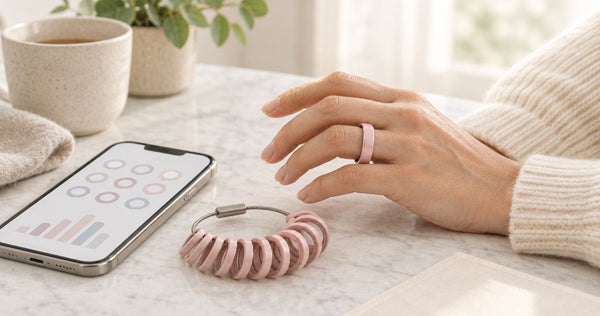
Start with the sizing instructions and measure before ordering. Do not assume that a size from a different ring or brand guarantees the same fit.
Odessa Smart Ring comes in US sizes 6–14 and uses stainless steel. Those specifications help narrow your choice, but neither proves that a particular size will feel right on your hand overnight. Comfort is something you assess while wearing it.
The client-confirmed return promise is 60 days, with worn rings accepted, and free size exchanges within 60 days. Customer-paid change-of-mind return postage and a 12-month manufacturing-defect warranty are separate terms. Keep those distinctions clear when deciding whether to exchange or return.
Some site pages display conflicting return wording. Get written confirmation through customer support if the terms shown during your order differ from the confirmed promise above.
- Follow the ring’s own sizing instructions.
- Check that the ring stays in place without feeling restrictive.
- Assess comfort during normal hand movement and sleep.
- Reassess fit if you notice pressure or irritation.
- Keep your order details and written exchange confirmation.
5. Check permissions and understand the readings
Begin with the iPhone’s settings and the app’s own instructions. Apple’s iPhone User Guide explains Bluetooth access and Health data permissions; those are separate controls, not a single compatibility switch.
Do not assume that an app’s presence on iPhone confirms Apple Health integration. If sharing data with Apple Health matters to you, verify that exact feature and the supported data types before buying. iPhone compatibility alone is not that promise.
Odessaring’s smart-ring readings include sleep, heart rate, stress, blood oxygen estimates, skin temperature and activity. Use those estimates for everyday awareness, not as a substitute for medical assessment. A sleep label or reassuring number does not establish that a health concern is absent.
The American Academy of Sleep Medicine’s position statement on consumer sleep technology distinguishes consumer tracking from medical diagnosis. That is guidance about the category, not product-specific validation of Odessa Smart Ring.
- Review Bluetooth access during setup.
- Read requested permissions before approving them.
- Verify Apple Health sharing separately if you need it.
- Read sleep and wellness values as estimates.
- Discuss symptoms with a qualified clinician rather than interpreting a ring score as a diagnosis.
6. Build a charging and review routine
Use a reminder or calendar entry first; you do not need another accessory to plan charging. Pick a charging opportunity that does not repeatedly overlap the sleep period you want recorded.
The confirmed Odessa Smart Ring battery claim is 5–7 days per charge. Some homepage wording differs; use the confirmed range for your 2026 planning rather than the superseded claim. It is a planning range, not a promise that every charge lasts exactly the same time.
Review your records alongside your own notes. If a night feels unusually poor, record what you remember rather than letting a single score replace your experience. A useful routine makes the data easier to interpret without turning every morning into a test.
- Set a reminder to check the battery before bedtime.
- Use the included charging cable as your starting setup.
- Confirm that the ring has synced before reviewing records.
- Add context about schedule changes or an interrupted night.
- Compare patterns instead of treating one score as a verdict.
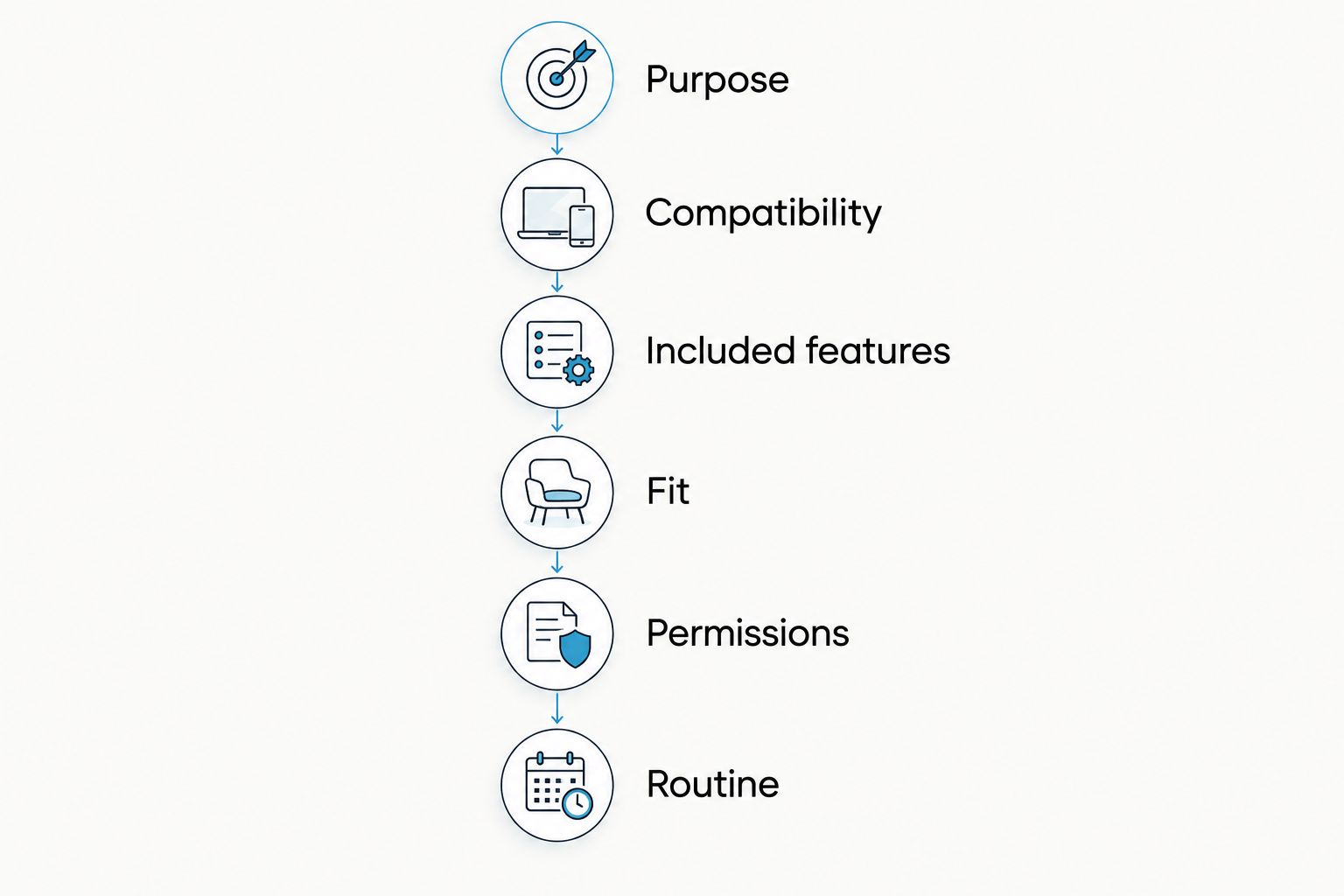
The buying process follows a simple order: purpose, compatibility, included features, fit, permissions and routine. Resolve each before treating a feature list as a reason to buy.
 Screen-free · No subscriptionOdessa Smart RingShop the ring →
Compare your tracking options
The right comparison is not simply ring versus ring. First decide whether you need automated estimates, a screen-free format or just a better record of your routine. These options answer different needs.
| Option | Best for | Main advantage | Key limitation |
|---|---|---|---|
| Manual sleep diary | Recording your schedule and how you feel | Captures personal context without a wearable | Requires manual entries and provides no sensor readings |
| Odessa Smart Ring with QRing | Women wanting subscription-free, screen-free sleep and wellness estimates | Free iPhone and Android app with no membership fee | Estimated readings are not intended for medical diagnosis, treatment or monitoring |
| A wearable you already own | Checking whether your existing setup meets your needs | Lets you assess your current records before replacing hardware | Features, phone support and membership terms depend on the exact device |
Best for an informed purchase: check your existing setup before adding another device. If you already record the information you need, identify the specific benefit a ring would add. If your priority is removing a wrist-worn screen, assess the ring’s fit and app experience rather than assuming a different form guarantees better readings.
When comparing Oura, RingConn, Ultrahuman or Samsung Galaxy Ring, use the exact current model and its official requirements. Do not transfer one model’s phone support, membership terms or accuracy claims to an entire brand. Similar lists of readings do not establish equal accuracy.
Common mistakes iPhone buyers make
Treating iPhone support as Apple Health support
These are different capabilities. Check the exact integration you need, including which information transfers, rather than treating a compatible app as proof of Health sharing.
Choosing a ring before checking the app
A screen-free ring makes the phone app central to reviewing your records. Read the current listing and setup instructions before committing to the hardware.
Ignoring overnight comfort
A jewelry-style appearance does not settle fit. Check sizing, try normal movements and use the exchange process if the fit is wrong instead of accepting discomfort as necessary for tracking.
Reading wellness estimates as medical clearance
A normal-looking blood oxygen estimate or sleep record does not rule out a medical problem. Seek appropriate care for symptoms; do not use a consumer ring to diagnose, treat or monitor a condition.
Counting promotional extras as permanent inclusions
An accessory shown in a promotion is not automatically part of every purchase. For your 2026 order, distinguish the included ring and charging cable from separately selected accessories and temporary offers.
Frequently asked questions
What's a smart ring without a subscription for iPhone?
Odessa Smart Ring is a subscription-free option that uses the free QRing app for iPhone and Android. It reports estimated sleep and everyday wellness information without a monthly membership fee.
Does Odessa Smart Ring work with every iPhone?
Check QRing’s current App Store compatibility requirements against your exact iPhone and iOS version. The product supports iPhone, but that does not mean every phone or operating-system version is supported indefinitely.
Does iPhone compatibility mean a ring syncs with Apple Health?
No. iPhone compatibility and Apple Health integration are separate features. Verify Health sharing and the supported data types explicitly if that connection matters to you.
Do I need a separate charging case for Odessa Smart Ring?
No separate charging case is required for the included charging setup. Odessa Smart Ring includes a charging cable; a charging case is an optional accessory.
How long does Odessa Smart Ring last between charges?
The confirmed battery claim is 5–7 days per charge. Plan charging around the overnight records you want to collect rather than assuming every charge lasts an identical amount of time.
Can I return Odessa Smart Ring after wearing it?
The confirmed return promise is 60 days, with worn rings accepted. Customer-paid change-of-mind return postage applies, and free size exchanges are offered within 60 days; request written clarification if checkout terms conflict.
Can a smart ring tell me whether I have a sleep disorder?
Odessa Smart Ring is not intended to diagnose, treat or monitor a medical condition. Its wellness readings are estimates; discuss symptoms or concerns with a qualified clinician rather than relying on a ring score.
One last thing
Save the app name and confirmed return terms with your order receipt. The most useful purchase record is not a screenshot of a headline; it is the exact product, app and terms you relied on. That gives you a clear starting point if pairing, fit or conflicting page wording needs attention.