How to discuss your sleep tracking ring data with your doctor

Bring your doctor a short record of your sleep symptoms, dated ring screenshots and the context behind unusual nights—not just a sleep score. Sleep tracking ring data can support that conversation, but estimated wellness readings do not establish a diagnosis or replace a medical sleep assessment.
- Odessaring provides everyday sleep estimates without a subscription, not medical monitoring.
- Sleep tracking ring sharing data with doctor: bring symptoms, dated screenshots and your main question.
- Ask whether your symptoms warrant assessment; do not ask a ring score to rule out a sleep disorder.
- Use screenshots or the app during your appointment, and confirm the clinic’s preferred sharing method first.
Interactive · Metric explorer
Tap to explore what Odessa tracks

Sleep: how long and how well you slept, worked out from movement and heart rate overnight.
Heart rate: readings through the day and night from the optical sensor on the inside of the band.
HRV (heart rate variability): the variation between heartbeats, a signal many people watch for recovery trends.
SpO2: blood-oxygen estimates for general wellness, not medical use.
Stress: estimated from body signals such as HRV, so you can see calmer and busier stretches.
Skin temperature: changes against your own baseline over time.
Steps: steps, distance and calories, with sport modes for walking, running, cycling, swimming and more.
Cycle: log your cycle alongside the rest of your data to spot your own patterns.
What it doesn't do: it doesn't measure blood pressure, it doesn't detect snoring, and it doesn't diagnose, treat or prevent any condition. It's a wellness tracker, not a medical device.
Real product photo. Sensor positions are approximate. Battery: 5–7 days per charge. Free app, no subscription.
Why this matters
A colorful sleep chart can make an appointment feel easier to explain. It can also distract from the reason you booked: waking unrefreshed, struggling to stay awake, or hearing that you snore and stop breathing.
Your symptoms are the clinical starting point. The ring supplies context. Put what you experience ahead of what an app labels good or bad.
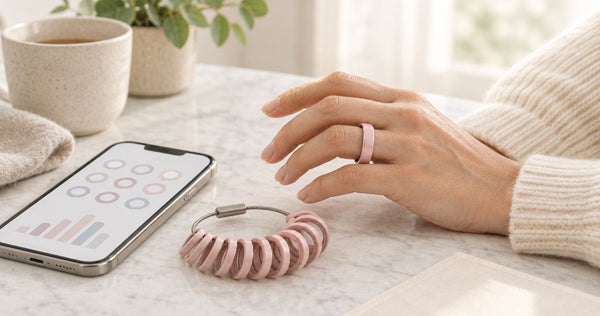
The Odessa Smart Ring provides sleep and other everyday wellness estimates through the free QRing app for iPhone and Android. Its subscription-free access makes reviewing those estimates straightforward, but access to data does not make that data a medical measurement.
How do you discuss your sleep tracking ring data with your doctor?
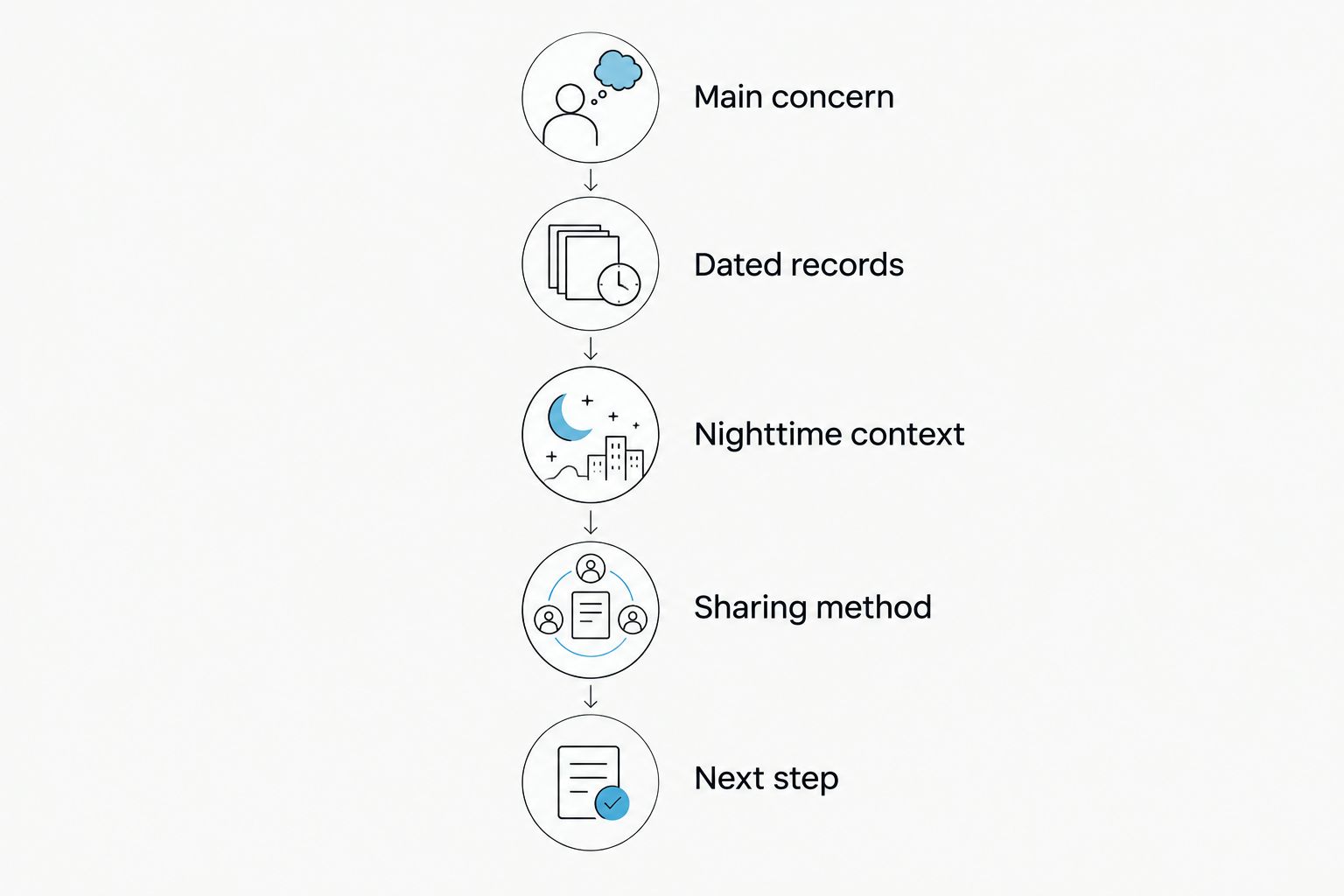
Use this appointment checklist in 2026: lead with your concern, show a small selection of dated records, explain relevant circumstances and ask what happens next. You do not need to interpret every graph before asking for help.
1. Start with the problem you want help solving
Write a plain-language description of what is happening. Include when it began, whether it happens regularly and how it affects your day.
Useful details include difficulty falling asleep, repeated waking, waking earlier than intended, morning headaches or daytime sleepiness. If someone has noticed loud snoring, gasping or pauses in your breathing, tell your doctor directly rather than relying on the ring to capture them.
Separate what you felt from what the device reported. Feeling exhausted after an apparently normal night is relevant even when the app gives you a reassuring result.
2. Choose records that illustrate the concern
Bring a dated overview and screenshots of nights that help explain your question. Include ordinary nights as well as unusual ones so the discussion does not revolve around a single outlier.
Keep the date visible. Avoid cropping away the metric name, units or app explanation that tells your doctor what the display represents.
If the app does not show the information you need, describe your experience instead. Do not fill gaps with guesses or convert an unlabeled score into a medical conclusion.
3. Add the circumstances the ring cannot explain
Write down relevant changes in your routine: shift work, travel, illness, alcohol, caffeine, medications or interruptions from caregiving. Bring your medication and supplement list rather than deciding which items matter medically.
Also record device interruptions. A ring removed overnight or left charging creates a different kind of gap from a night you remember sleeping poorly.
This context helps your doctor understand what the chart is describing. It does not prove that a particular habit caused the result.
4. Arrange a practical way to share
Ask the clinic whether it wants screenshots through its patient portal, a printed summary or the app shown during the visit. Send health information through the channel the clinic recommends.
Do not assume QRing connects directly to your doctor’s records or produces a clinical report. Screenshots and an on-screen review are ways to show information without assuming a particular export or integration feature.
5. End with a decision question
Ask whether your symptoms need further assessment, what information would help and when to follow up. If the doctor recommends testing, ask what that test measures that your ring does not.
Leave with a plan rather than a verdict on the gadget. A useful appointment identifies the next action, even when the ring cannot answer the underlying question.
What should you bring, and what does each record leave out?
A short packet is easier to discuss than an unfiltered camera roll. Choose information that answers a question, and keep the original app view available if your doctor wants more context.
| Record | Best for | Main limitation |
|---|---|---|
| Symptom notes | Explaining how sleep affects your day | Depend on what you notice and remember |
| Dated app screenshots | Showing the ring’s estimated patterns | Do not establish a diagnosis or prove measurement accuracy |
| Sleep diary | Recording bedtimes, waking and relevant circumstances | Requires your own entries and remains a personal record |
| Device details | Identifying the ring, app and wear interruptions | Do not establish clinical validity |
The strongest packet combines your experience with the device record. Neither should erase the other: a concerning symptom still deserves discussion when the chart looks ordinary.
For your 2026 appointment summary, use simple headings: main concern, when it started, daytime effects, relevant nights and questions. Keep unrelated health information out of screenshots unless your clinician requests it.
What does the research say about consumer sleep trackers?
The American Academy of Sleep Medicine’s position statement, Consumer Sleep Technology—published in the Journal of Clinical Sleep Medicine in 2018—states that consumer sleep technology should not substitute for medical evaluation. Its scope is consumer sleep technology generally, not validation of Odessa specifically.
That distinction matters. Research involving another wearable, another sensor configuration or another algorithm does not establish the accuracy of your ring.
The AASM’s Clinical Practice Guideline for Diagnostic Testing for Adult Obstructive Sleep Apnea, published in the same journal in 2017, places diagnosis within a clinical evaluation and appropriate diagnostic testing. Its recommendations concern adult obstructive sleep apnea, not a method for interpreting consumer ring scores.
A sleep estimate and a medical sleep test answer different questions. Use the estimate to explain what caught your attention; let your clinician decide whether your symptoms call for diagnostic assessment.
These sources support the boundary between consumer information and medical evaluation. They do not support a claim that wearing a ring improves sleep or that similar-looking readings from different devices are equally accurate.
Why sleep tracking ring readings vary
When a night looks different, consider both your circumstances and how the device was worn. These factors give your doctor context; they are not a formula for correcting a score.
- Fit and contact: Note whether the ring felt unusually loose, tight or uncomfortable. Ask product support about correct wear rather than assuming every position works equally well.
- Wear interruptions: Record removal, charging and missing portions of the night. An incomplete record should not be presented as a complete night.
- Schedule changes: Note shift work, naps, travel or an unusually late bedtime alongside the date concerned.
- Health and routine: Include illness, medication changes, alcohol and other circumstances your doctor asks about. Do not change treatment to improve a graph.
- Metric definitions: Keep the app’s labels attached to screenshots. A score, an estimated stage and a duration are different kinds of information.
Avoid assigning a cause from the chart alone. A change after a difficult day is an observation, not proof that stress caused that night’s result.
 Screen-free · No subscriptionOdessa Smart RingShop the ring →
How does Odessa fit into a doctor conversation?
Odessaring is best for women seeking subscription-free everyday sleep estimates, not medical monitoring. Zero screens on the ring means you review the information in the phone app rather than on your finger.
The product specifications checked October 25, 2026 list sleep, heart rate, stress, blood oxygen estimates, skin temperature and activity. Those features describe what the product reports; they do not establish clinical accuracy or equivalence to a medical device.
Its confirmed battery claim is 5–7 days per charge. Note charging gaps when preparing your records instead of treating missing data as a sleep event.
Fit matters for comfortable overnight wear. The ring comes in US sizes 6–14, and the client-confirmed return promise is 60 days with worn rings accepted; published terms also provide free size exchanges within 60 days. If the ring is uncomfortable, address fit rather than forcing yourself to sleep in it.
The ownership advantage is no subscription and a free QRing app for iPhone and Android. The limitation remains medical: wellness readings are estimates and are not intended to diagnose, treat or monitor a medical condition.
Can my doctor use ring data to diagnose sleep apnea?
Ring data alone does not establish a sleep apnea diagnosis. Tell your doctor about snoring, witnessed breathing pauses, gasping and daytime sleepiness even if the app appears reassuring.
A blood oxygen estimate is not a substitute for the assessment and testing your clinician considers appropriate. Do not use a normal-looking ring reading to dismiss symptoms or delay an appointment.
Should I bring a sleep diary as well as screenshots?
A sleep diary adds information that screenshots do not explain: when you went to bed, what you remember about waking and how you felt afterward. Keep it simple enough to maintain, and ask the clinic whether it has a preferred format.
Record observations rather than interpretations. Writing that you woke repeatedly is more useful than deciding on your own which sleep stage was responsible.
What if my ring says I slept well but I feel exhausted?
Feeling exhausted deserves discussion even when the ring reports good sleep. Explain the symptoms, their duration and their effect on work, driving or everyday tasks.
Do not let a favorable score overrule your experience. Your doctor can assess the concern without requiring the ring to confirm it first.
Questions that make the appointment more useful
Choose the questions that match your concern instead of working through every metric in the app. Useful questions include:
- Does my symptom pattern need further assessment?
- Which parts of this record help you, and which should I stop focusing on?
- Would a sleep diary add anything useful?
- Is there a reason to consider a sleep study or specialist referral?
- What should prompt an earlier follow-up?
Ask your doctor to explain the plan in everyday language. Before leaving, confirm whether you should keep recording the same information or change what you bring next time.
Keep sharing focused and private
For a 2026 appointment, check the clinic’s current upload instructions before sending files. A screenshot sent through the wrong channel does not become useful simply because it contains detailed data.
Review each image for notifications, names or unrelated information you do not intend to share. Keep the date and relevant metric visible, and retain the original on your phone.
If you want someone else to help explain the records, ask about the clinic’s process for involving them. Share what supports your care, not your entire app history by default.
Frequently asked questions
How do I share my sleep tracking ring data with my doctor in 2026?
Ask your clinic which sharing method it accepts, then bring dated screenshots or show the app during your appointment. Include your symptoms and relevant circumstances rather than sending scores alone.
Can my doctor diagnose a sleep disorder from my ring screenshots?
Ring screenshots alone do not establish a sleep disorder diagnosis. Your doctor assesses your symptoms and decides whether further evaluation or diagnostic testing is appropriate.
Can I export a medical report from the QRing app?
Do not assume QRing produces a medical report or connects to your clinic’s records. Check the app’s current sharing options and ask whether your clinic accepts screenshots or an on-screen review.
Should I tell my doctor about a low blood oxygen estimate?
Tell your doctor about a concerning blood oxygen estimate, especially when you also have symptoms. The ring reading remains a wellness estimate, not a medical measurement or a diagnosis.
Is Odessaring suitable for monitoring a medical condition?
Odessaring is not intended to diagnose, treat or monitor a medical condition. Its sleep and other wellness readings are estimates for everyday awareness.
Should I wait for more ring data before booking an appointment?
Do not delay seeking care just to collect more ring data. Describe your symptoms with the information you already have and let the clinic advise you about timing and preparation.
What if tracking my sleep makes me more worried?
Tell your doctor that checking the data is increasing your worry. You can discuss whether to check less often or stop reviewing scores while focusing on symptoms and the agreed care plan.
One last thing
Before opening the app, write 1 sentence describing what you want help with. If your concern is persistent exhaustion, that sentence belongs at the top of your notes—not underneath a reassuring score.
Use your 2026 sleep records to make the conversation clearer, not to build a case for a diagnosis you have already chosen. The best next step is an agreed care plan, not a better-looking graph.